
StopAheadKnow what's ahead
Running low on gas? Hungry? Need to stop? See exactly what's at your next freeway exit before you get there.
Download on the App Store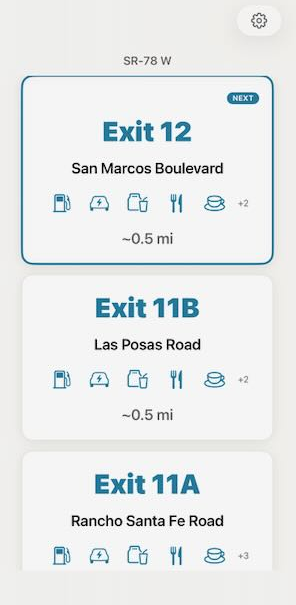
See it in action
It just works
while you drive.
Open the app and go. As you pass each exit, the next one appears automatically. No tapping, no searching, no distraction.
What you'll see
The answer before you ask
Gas, food, lodging — you'll know what's coming up before you need to decide.
What's at the next exit?
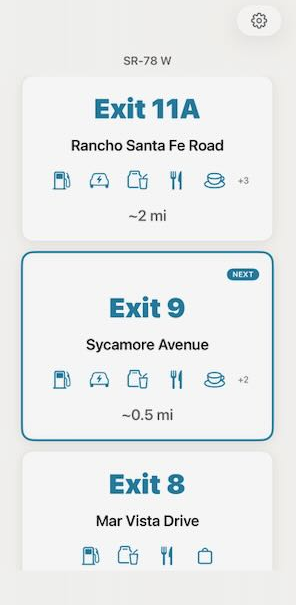
Updates as you drive
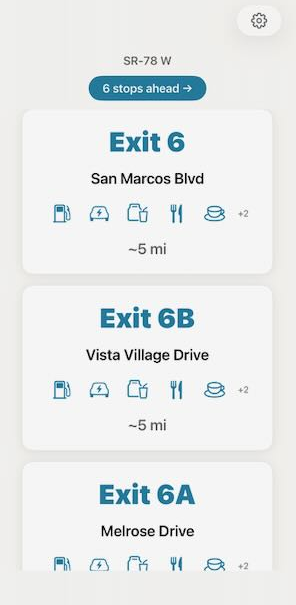
Plan a few exits ahead
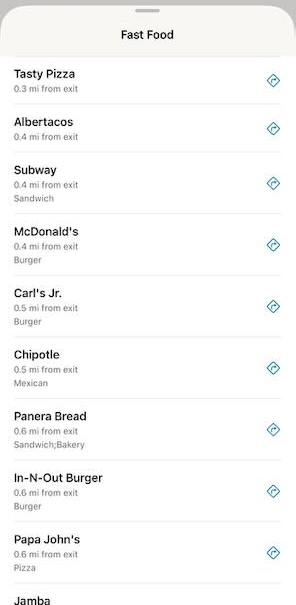
Find what you need
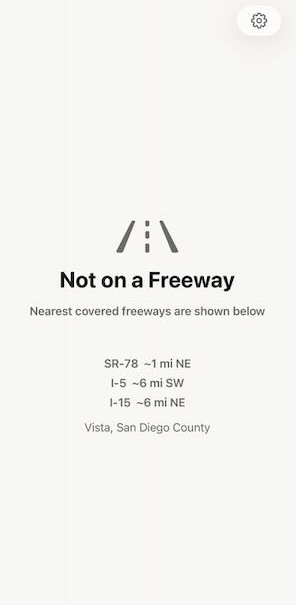
See what freeways are around you
Why drivers love it
No fuss. No tracking. No clutter.
Just the one thing you actually need on the freeway.
Your data stays yours
No account to create. No location history saved. Nothing tracked. Your phone, your business.
Read it in a second
Big, clear text you can read at arm's length. The next exit and what's there — that's all you see.
Works everywhere
Every freeway in all 50 states. Whether you're commuting or on a road trip, you'll know what's ahead.
How it works
Three seconds. That's it.
No setup. No configuration. Just open it and drive.
Get on the freeway
StopAhead figures out which freeway you're on and which direction you're heading.
Check what's coming up
The next exit, how far away it is, and whether it has gas, food, or a place to stay.
Take the right exit
Tap a service to get directions. Or just keep driving — the next exit will appear when you pass this one.
Questions
You might be wondering
Is it really free?
Yes. No subscriptions, no in-app purchases, no ads. StopAhead is free.
Does it track my location?
No. Your location is processed entirely on your device. Nothing is sent to any server, ever. When you close the app, all data is erased.
Do I need to create an account?
No. Just download and open it. There's no sign-up, no login, no email required.
What freeways are covered?
Every interstate, US highway, and state route across all 50 states. That's over 55,000 exits with gas, food, and lodging data.
How is this different from Google Maps or Waze?
Those are navigation apps. StopAhead doesn't give you directions — it answers one question: what's at the next exit? No maps, no routes, no clutter. Just the information you need at a glance.
Does it work without internet?
Exit data is downloaded to your phone when you first open the app. After that, it works even with spotty cell service.
Ready?
Never wonder what's ahead
Free. Private. Works on every freeway in the country. Just open it and drive.
Download on the App Store